
Beauty Camera Selfie Makeup
Avn Global ApplicationBeauty
4.641.00 Reviews
- Version
- 1.8.2_20260930
- Installs
- 1.00M
- Age Rating
- Everyone
Screenshots
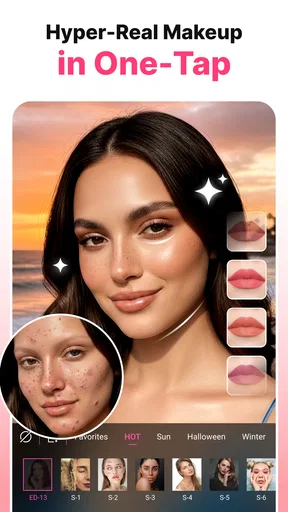
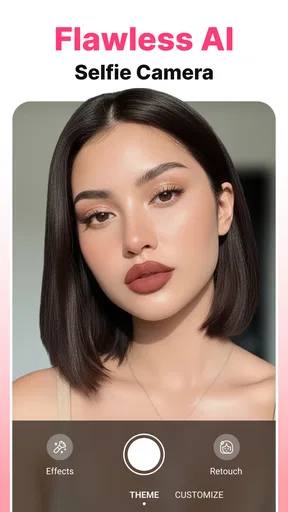
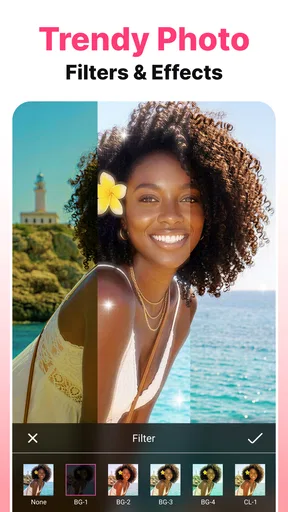
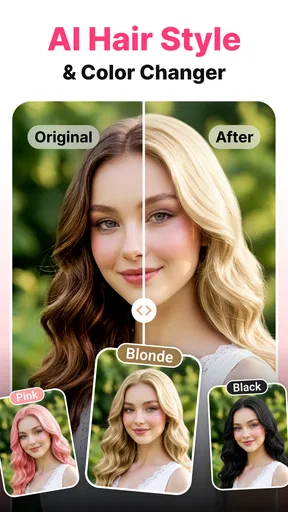
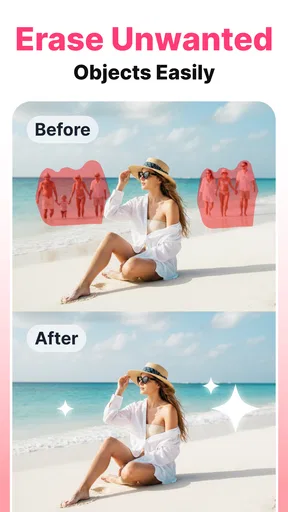
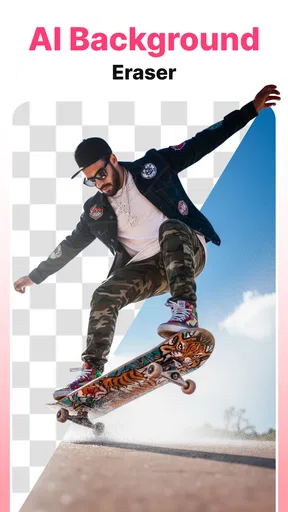
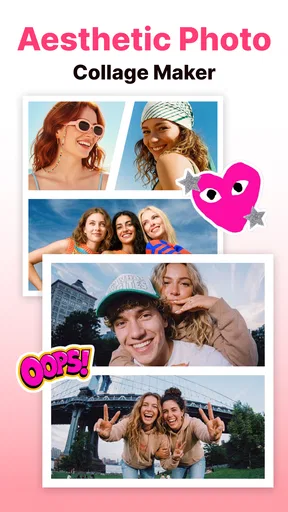
Our Review of Beauty Camera Selfie Makeup
 Analysis by Appyee
Hey there! So, I recently stumbled upon this app called Beauty Camera Selfie Makeup, and I just had to give it a try. Let's dive into it and see what it's all about!
Who this selfie editor suits
I see this as a handy choice for someone who wants to experiment with a portrait before posting it, rather than learn a full photo-editing program. A quick makeup adjustment can help a selfie match the mood of a profile picture, a casual message to friends, or a planned social post. The appeal is the short path from portrait to polished edit: I can try a look, judge it on the actual photo, and decide whether it feels like me.
It is also useful when I want to preview a makeup idea without changing how I look in person. A color that seems appealing in a palette may feel too strong once it is on a face; trying it on a selfie gives me a more practical point of comparison. I would treat the result as a playful preview, though, not as a reliable match for how real cosmetics will appear under different lighting.
Readability and navigation in everyday use
When I first opened the app, I found the interface approachable rather than crowded. That matters in a beauty editor, where too many controls can turn a simple touch-up into a frustrating search. The original experience described here centers on selecting a look, adjusting effects, checking the result, and saving or sharing it. For someone new to editing, that sequence is easier to follow than a general-purpose editor with layers, masks, and detailed color controls.
Still, a clean-looking layout is not the same as perfect readability for everyone. Small controls, low contrast, or a busy preview can be harder to use on a small screen, especially when I am trying to compare subtle changes. I find it helps to work in a bright, steady environment and pause between adjustments instead of tapping through several effects quickly. That simple habit makes it easier to notice whether a change improves the portrait or merely makes it look more processed.
Different abilities, different ways of using it
The makeup effects are visual, so much of the decision-making depends on seeing how a shade or smoothing adjustment changes the face. That makes the app naturally more useful to people who can comfortably inspect a portrait on their device. If close detail is difficult to see, I would enlarge the display using the phone’s own accessibility settings where available, then review the saved image at a comfortable size before sharing. I would not rely on a tiny preview to judge fine edges or color balance.
Touch-based editing can also be fiddly for someone with limited dexterity or hand steadiness. Rather than making many quick changes, I would choose one effect at a time, use the intensity control gradually, and check the before-and-after view before continuing. The undo option described in the editing workflow makes experimentation less risky, but it does not remove the need for careful taps. Anyone who finds small on-screen targets tiring may prefer a simpler editor with larger controls or a desktop workflow.
Sensory comfort is another personal consideration. Strong smoothing or vivid makeup can make a portrait feel artificial, and a succession of visual changes may be tiring. I recommend starting with a restrained adjustment and stopping as soon as the photo feels right. The point is to make a picture you enjoy, not to keep editing until your natural features disappear.
First Impressions: What’s the Buzz About?
When I first opened the Beauty Camera Selfie Makeup app, I was greeted with a clean and user-friendly interface. It’s designed to make your selfies pop with just a few taps. From what I’ve seen, it’s all about enhancing your natural beauty and having a little fun with makeup effects!
This is a free beauty app from Avn Global Application, and it has a 4.7 average from around 3.3 thousand ratings, alongside 35 written reviews. It has passed 500 thousand installs, so it is not an obscure one-off tool. The age rating is Everyone, and the app was released on September 6, 2023. Those details give a sense of its audience and history, but they do not tell me whether its editing style will suit every face or every taste.
Features That Stand Out
One of the coolest things about this app is its diverse range of makeup tools. Whether you’re into subtle changes or dramatic transformations, there’s something here for everyone:
- Instant Makeover: The app offers a variety of preset styles. You can go from a natural look to a night-out glam in seconds.
- Customizable Makeup: Want to play makeup artist? Customize everything from your eyeliner to your lipstick shade.
- Real-Time Makeup: This feature lets you apply makeup in real-time as you take your selfie. It's like having a virtual makeup artist!
- Skin Smoothing: Nobody’s skin is perfect, and this tool helps give you that flawless look effortlessly.
Presets are a useful starting point, but I would not treat them as finished edits. A look that flatters one portrait can overwhelm another, particularly when the original lighting is uneven. A practical approach is to try a preset, then dial back the intensity or adjust individual makeup elements. This gives me a quick direction without letting a single all-over style decide the final result.
For a more realistic comparison, I would take the source photo in soft, even light and keep the camera angle consistent while testing options. That way, I can judge the edit rather than confuse a change in lighting or expression with a change in makeup. When I want the image to remain recognizable, I also check skin smoothing last: it is easy for a portrait to lose natural texture if I combine it with several other strong effects.
Playing Around with the Tools
Now, let’s talk about the fun part—actually using the app. I spent some time experimenting with different looks. The app is super intuitive, and I love how it allows you to adjust the intensity of each effect. Whether you want a barely-there blush or bold, statement lips, you’re in control.
Beauty Camera Selfie Makeup also has this nifty feature where you can compare before and after images. It’s pretty satisfying to see the transformation side by side. Plus, if you ever feel like you’ve overdone it, there’s always the trusty undo button!
The before-and-after check is more useful than it first sounds: it helps catch edits that look convincing while I am focused on a single feature but feel unbalanced when I see the whole face. I make a small change, compare, and only then move to the next one. That workflow is especially helpful when editing for a profile image, where a subtle adjustment often reads better at thumbnail size than a dramatic makeover.
Real-time effects suit quick experimentation, while editing a saved portrait gives me more time to assess the whole composition. If I am getting ready for a video call or taking a spontaneous selfie, previewing a look live is convenient. If I care more about a carefully composed image, I would rather work from a photo and inspect the result before keeping it. In either case, I would save a copy only after checking that the face still looks natural at the size people are likely to view it.
Sharing and Saving Your Creations
Once you’ve perfected your look, sharing it is a breeze. The app has built-in options to post directly to social media platforms like Instagram and Facebook. It’s a neat way to show off your creativity or just have a little fun with your friends.
And if you’re not quite ready to share with the world, you can save your photos to your device. The quality is top-notch, so you won’t lose any detail in your edits.
For a more cautious workflow, I would save the edited image first and review it outside the editing screen before posting. A face can look different in a small in-app preview than it does in a larger gallery view, and an extra check gives me a chance to catch an overly strong effect. Saving rather than sharing immediately is also the better fit when I am still deciding between a natural finish and a more playful one.
People sometimes wonder whether a beauty editor is worth using if they already have a phone’s built-in photo tools. For basic cropping, brightness, or contrast, the built-in editor is often enough and may be quicker. This app makes more sense when the specific goal is makeup effects on a selfie. A general photo editor usually offers broader control over the entire image, while a dedicated beauty app prioritizes face-focused changes and quick style experiments. I would choose based on the task rather than expect one tool to replace the other.
What I Love About It
Honestly, the thing I appreciate most is how user-friendly it is. You don’t need to be a tech guru or a makeup pro to navigate the app. Everything is laid out clearly, and the app guides you through each step.
The real-time makeup feature is a game-changer. It’s like a mini-makeover session every time I open the app. Plus, the fact that you can customize your look to match your mood or outfit is a huge plus.
The version currently available is 1.7.6_20260203 and it supports Android 7.0 or later. It is free to download, with optional in-app purchases listed from $2.99 to $124.99 per item. I would start with the free experience and only consider a purchase if I had already confirmed that the tools I use regularly are part of what I want. The range of possible purchase prices is wide enough that checking the cost shown for a specific item before buying is sensible.
One everyday example: before a family gathering, I might take a quick selfie near a window, test a soft makeup preset, reduce its strength, and compare the image with the original. If it still looks like me, I can save it for a message or profile update. If the room lighting makes the colors look odd, I would retake the photo rather than keep piling on corrections. Better source light is often a more effective fix than a stronger filter.
Where another option may work better
This is not the right choice for every photo task. If I want to remove distractions, adjust a full scene, retouch a product image, or make precise edits across several layers, I would use a broader photo editor instead. If my priority is a realistic preview of cosmetics for an in-person purchase, I would also be careful: a selfie effect can be entertaining, but a screen preview is not a substitute for trying a product under real-world lighting.
There are practical limits to the results, too. A beauty effect cannot make a poorly lit, blurry, or awkwardly framed selfie into a strong portrait. And any automatic-looking enhancement can be less convincing when the source image has shadows or the face is turned sharply. I would treat the app as a finishing tool for a usable photo, not as a repair shop for every camera problem.
For users who need especially large controls, keyboard navigation, spoken guidance, or detailed manual editing, a different app may be more comfortable. I cannot assume that a simple-looking interface meets every accessibility need. The safest choice is to try a small edit first, check whether the controls are manageable on your own device, and stop if the interaction feels tiring or imprecise.
My inclusive take on the experience
For many people, the straightforward focus on selfie makeup can reduce the learning curve compared with a feature-heavy editor. Adjustable intensity, undo, and a before-and-after comparison offer useful ways to stay in control and avoid committing to a look too early. Those details support experimentation, but they do not remove visual, touch, or sensory barriers for everyone.
I would recommend it to someone who wants quick, face-centered edits, enjoys trying makeup styles, and is comfortable making visual adjustments on a phone. I would suggest skipping it if you need comprehensive photo retouching, rely on highly customizable navigation, or simply prefer unedited portraits. The best result is the one that feels like your own choice, whether that means a light touch or no effect at all.
Wrapping It Up
All in all, this is a handy tool for anyone looking to enhance their selfies without turning a quick edit into a technical project. Whether you’re preparing a social post or just playing around, its makeup-focused tools make experimentation accessible, while the intensity controls and comparison view help keep the result personal. It is worth trying if that is the kind of editing you want, though I would choose a more flexible editor for broader image work.
Happy snapping!
Privacy and Permissions
See what permissions an app requests and how it handles your data.
- Photos/Media/Files
- read the contents of your USB storage, modify or delete the contents of your USB storage
- Storage
- read the contents of your USB storage, modify or delete the contents of your USB storage
- Camera
- take pictures and videos
- Microphone
- record audio
- Wi-Fi connection information
- view Wi-Fi connections
- Other
- view network connections, change network connectivity, connect and disconnect from Wi-Fi, full network access, run at startup, set wallpaper, control vibration, prevent device from sleeping, Google Play license check
Verdict
Strengths of Beauty Camera Selfie Makeup
- User-friendly interface enhances ease of use.
- Wide range of filters for varied styles.
- Real-time editing for instant results.
- High-quality image output is impressive.
- Extensive makeup options for customization.
Limitations of Beauty Camera Selfie Makeup
- Some features require in-app purchases.
- Occasional ads can be disruptive.
- May consume significant device storage.
- Limited features in offline mode.
- Some effects may appear unnatural.
Other Releases by Avn Global Application
View All
Remove background & Object
Art & Design3.5

Phone Tracker Locator With GPS
Maps & Navigation4.1
Similar Picks in This Category
View All
Beauty Makeup Editor & Camera
Photo & Video Editors - Instant Solution4.7

Perfect365: Face Makeup Editor
Perfect365, Inc.3.5

Mirror Plus - HD Mirror app
Digitalchemy, LLC4.8

Cute Lock Screen & Wallpapers
Prometheus Interactive LLC4.6

HD Camera for Android
One Music Player4.5

Phone Mirror app - True Mirror
Cards4.6
Frequently Asked Questions
What features does Beauty Camera Selfie Makeup offer?
Beauty Camera Selfie Makeup is packed with features to enhance your selfies. It includes real-time beautification tools, makeup effects, skin smoothing, and filters. Users can also access a variety of makeup styles, including lipstick, blush, and eye shadow, along with an array of artistic effects and backgrounds.
Is Beauty Camera Selfie Makeup free to use?
Yes, the basic version of Beauty Camera Selfie Makeup is free to download and use. However, it offers in-app purchases for premium features and additional filters. These purchases are optional, but they can enhance your editing experience with more advanced tools and effects.
How user-friendly is the Beauty Camera Selfie Makeup app?
Beauty Camera Selfie Makeup is designed with user-friendliness in mind. It features an intuitive interface that allows users to easily navigate through its various tools and options. Even beginners will find it straightforward to apply effects and makeup, making it accessible for all skill levels.
Can I share edited photos directly from the app?
Yes, Beauty Camera Selfie Makeup allows users to share their edited photos directly to social media platforms like Instagram, Facebook, and Snapchat. The app provides easy sharing options so you can showcase your enhanced selfies with just a few taps.
Is Beauty Camera Selfie Makeup safe to use?
Beauty Camera Selfie Makeup is generally safe to use, but it's crucial to download it from reputable sources like the Google Play Store or Apple App Store. Always review app permissions and privacy policies to ensure your personal data is protected. Regular updates also help maintain app security.
